RiotServers User Guide
Please make sure before use
- Please run as administrator
- Please extract all the files in the compressed package into the same folder
Do not open the compressed file directly and double-click to run
How to use(New)
⚠️ Important Notice
Due to a recent Riot Vanguard update, traditional user-level injection methods no longer work.
This workaround is temporary and may stop working in future updates.
Although driver-level injection could bypass this restriction, it has poor compatibility and requires a valid (and costly) digital signature, so it is not used.
First-Time Setup
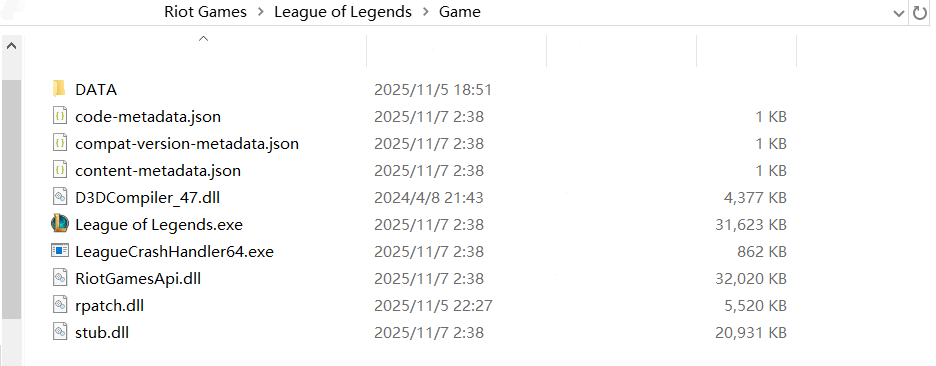
1️⃣ Locate the Game Directory
Open the folder where your game executable is located (see example below).
2️⃣ Create a New Folder
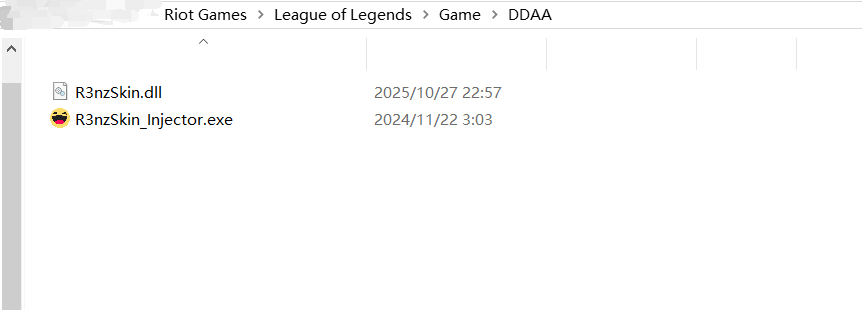
Inside the directory, create a new folder with any name you like (see example below).
3️⃣ Initial Launch
Start the game, then open the software and click Start, then wait for the software to indicate that the injection was successful.
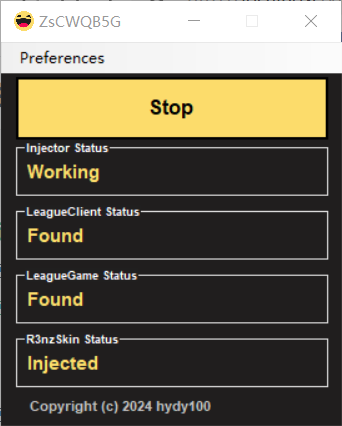
The injection will not succeed yet — this is part of the setup process.
4️⃣ Rename the Folder
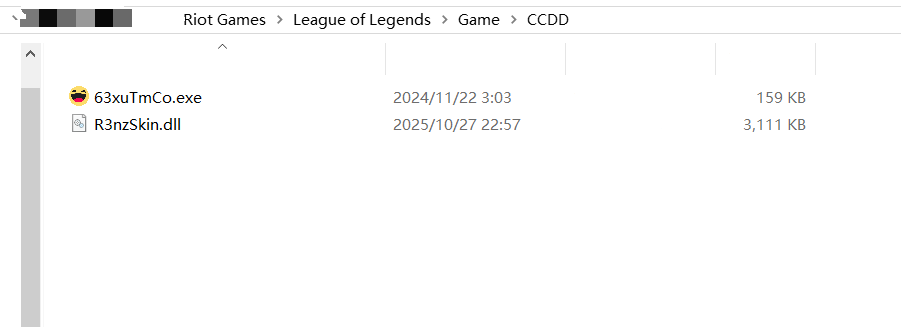
Close the software (do not close the game) and rename the same folder to any other name.
⚠️ You must rename the existing folder, not create a new one.
5️⃣ Restart the Software
Reopen the software and click Start again — the features should now work properly.
As long as you do not restart your computer, the setup will remain active and does not need to be repeated.
After Restarting the Computer
After rebooting, simply repeat steps 3️⃣–5️⃣ from the First-Time Setup section.
Possible Issues
The game becomes laggy or unresponsive after clicking Start
- Solution: Repeat steps 4️⃣–5️⃣ from the First-Time Setup section.
When renaming the folder, you see a message that vgc.exe is using the file
- Solution: Close both the software and the game client (including the
LeagueClient.exeprocess),then repeat steps 3️⃣–5️⃣ from the First-Time Setup section.
How to use
- Normally, run exe File, you will see the following page
If an error message appears and the software is not opened, please download Microsoft Visual C++ Redistributableand install it.
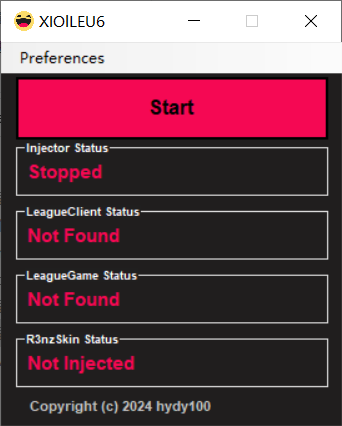
- After clicking
Start. It will automatically inject when you enter the game. After enabling the function, there is no need to repeat the activation before exiting the program.(It's recommended to enable it after entering the game for the first time.)
If you enable it before entering the game for the first time or for players with slow game loading times, this will cause a pop-up window with an error message to appear. If you enter the game and click confirm so that it does not appear again, you can use it normally. If it appears repeatedly, it means an update is needed.
After entering the game
- After entering the game, it will automatically inject.
- If the injection is successful, the menu will appear about 5-10 seconds after entering the fountain.
- If the injection fails, nothing will happen.
- The game menu is displayed as follows:
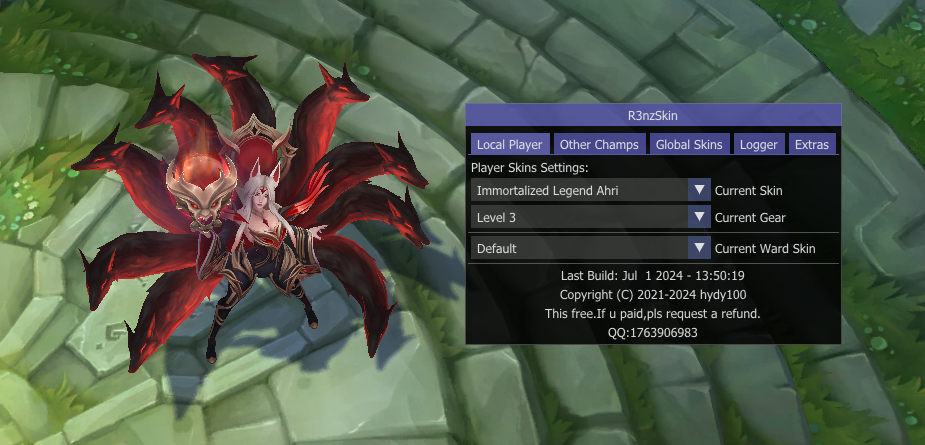
- After a successful injection, you can use the hotkeys (default is PGUP/PGDN) or the game menu to switch skins within the game.
Problems encountered in the game
If you were able to use it before
- Please ensure that the current boot environment is the same as before, such as (running as administrator, not being blocked by antivirus software, and following the correct operation sequence).
- Please try pressing 'Stop' to stop the automatic injection, then reopen the software.
- If it still doesn't work, please try restarting your computer and then try again.
Game loading screen is black
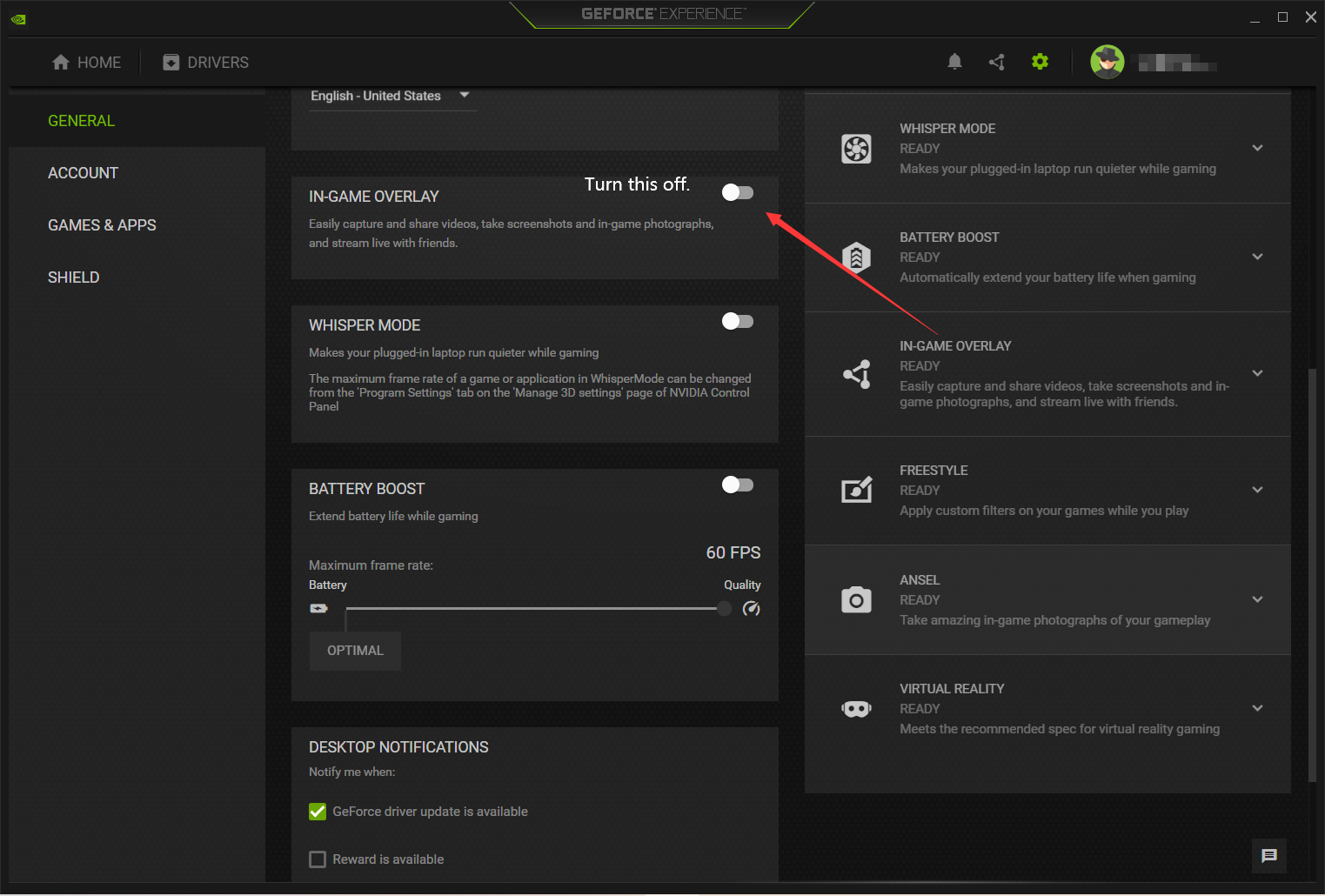
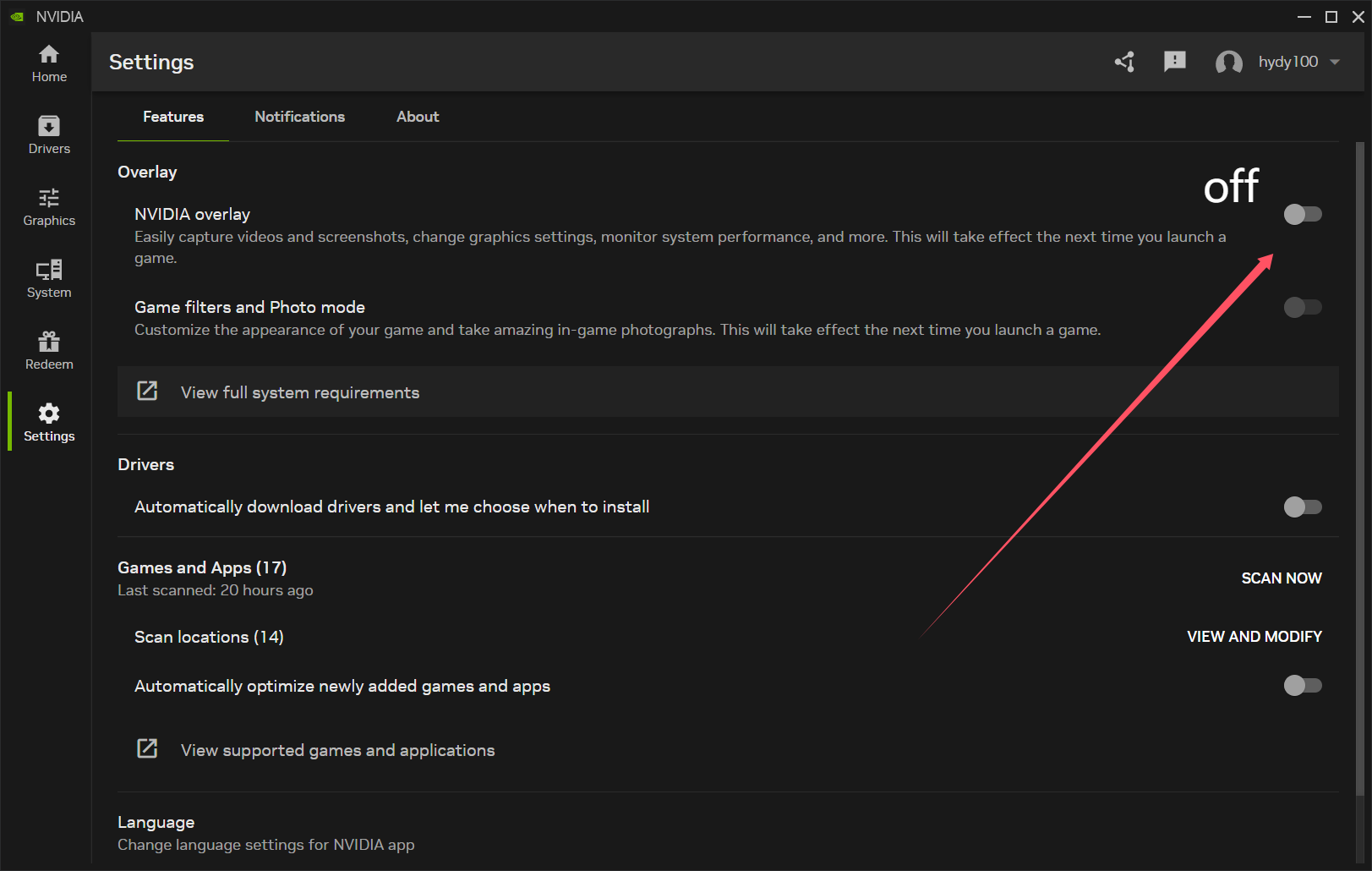
- Disable in-game overlay in GeForce Experience settings.
- Old version:
- New version:
- Old version:
No effect, no menu.
- Download Microsoft Visual C++ Redistributableand install it.
- If it still doesn't work, please add Data Execution Prevention (DEP).
Other Issues
- Please contact the author.